
Customer Management
Provider-only feature
Customer management is available to provider organizations (security firms and MSSPs that manage security services for multiple client organizations).
Providers use the Customers page to provision, manage, and monitor their client organizations within Hashiro.
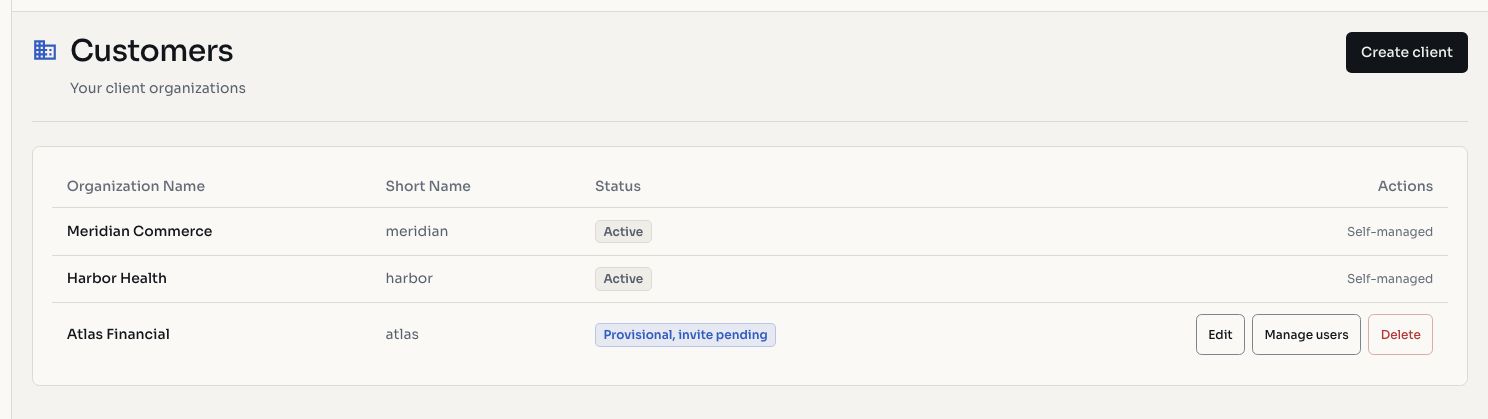
Screenshots use fictional demonstration data.
Viewing Customers
Navigate to Customers in the sidebar to see all your client organizations. Each customer entry shows:
- Organization name and logo
- Account status (active, provisional, deletion-requested)
- Number of users
- Creation date
Provisioning a New Customer
- Go to Customers and click New Customer
- Enter the client organization's details:
- Organization name and short name
- Contact email for the initial administrator
- Contact name
- Submit the form
This creates the client organization and sends an invitation email to the contact. The initial user receives the client organization's management role.
Customer Lifecycle
Provisioned → Invitation Sent → Claimed → Active
                                            ↓
Deletion Requested → Deleted| Status | Description |
|---|---|
| Provisioned | Organization created, invitation pending |
| Invitation Sent | Email sent to the initial contact |
| Claimed | Contact has accepted the invitation and set their password |
| Active | Organization is fully operational |
| Deletion Requested | Client has requested account deletion (awaiting processing) |
Before the Invitation is Claimed
While a client organization is still provisional (unclaimed), providers can:
- Resend the invitation email
- Delete the provisional organization entirely
Once the invitation is claimed, the organization becomes active and can only be removed through the deletion request process.
Managing Customer Organizations
Users
Provider access to client-user management depends on the client's provisional state and the caller's permissions. Invitation and provisional-password controls apply before the organization is claimed. A claimed client manages its own credentials.
Settings
Review authorized client details and contracted limits. Editing depends on the operation, permissions, and organization ownership.
Access
Inspect projects, assets, and findings for explicitly linked clients. A provider relationship does not grant unrestricted access to every per-organization cloud connection or configuration.
WARNING
Client data isolation is maintained at the platform level. Providers can only access client organizations they have an explicit relationship with. There is no cross-tenant data access between unrelated organizations.
Deletion Requests
Clients can request the deletion of their own organization from the organization settings page. When a deletion request is submitted:
- The request enters a review queue
- Platform staff reviews and approves or rejects the request
- Approved deletions enter a retention window before permanent removal
- During retention, the organization can be restored if needed
This process ensures that no organization is accidentally or maliciously deleted without proper review.