
Checklists
Checklists provide structured testing guides for AI assessments running in Checklist mode. They define exactly what should be tested to ensure systematic coverage.
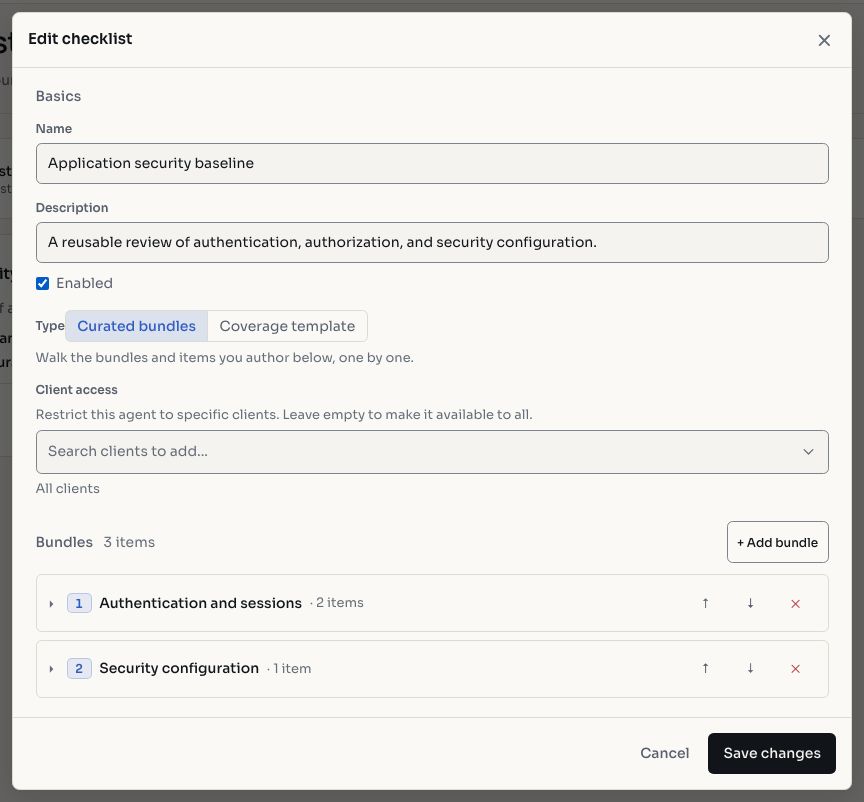
Screenshots use fictional demonstration data.
Checklist Builder
Create and manage checklists with:
- Title and description: what the checklist covers
- Test items: individual checks the agent will perform, each with a description and expected behavior
- Bundles: groups of related test items organized by category
Types of Checklists
Regular Checklists
A flat list of test items executed sequentially. Each item is marked as passed, failed, or not applicable as the assessment progresses.
Coverage Checklists
Coverage checklists classify test items by category, enabling coverage tracking. The agent must achieve a minimum coverage threshold before transitioning to the reporting stage.
Default vs Custom Checklists
Hashiro provides default checklists covering common methodologies (OWASP Top 10, API security, web application testing). Organizations can create custom checklists for:
- Internal security standards
- Compliance frameworks (PCI-DSS, SOC 2, HIPAA)
- Application-specific test cases
- Client-specific requirements
TIP
Providers can use the Hide default checklists toggle to show only their custom checklists.
Using Checklists
- Select Checklist as the run mode when creating a new AI assessment
- Choose a checklist from the library
- The agent works through each item, executing tests and recording results
Each item's status provides clear evidence of what was tested and the outcomes, useful for compliance reporting and audit trails.