
Explore
Explore provides cross-project search across all assets, URLs, and findings in your organization. Quickly locate specific targets, patterns, or vulnerabilities without knowing which project they belong to.
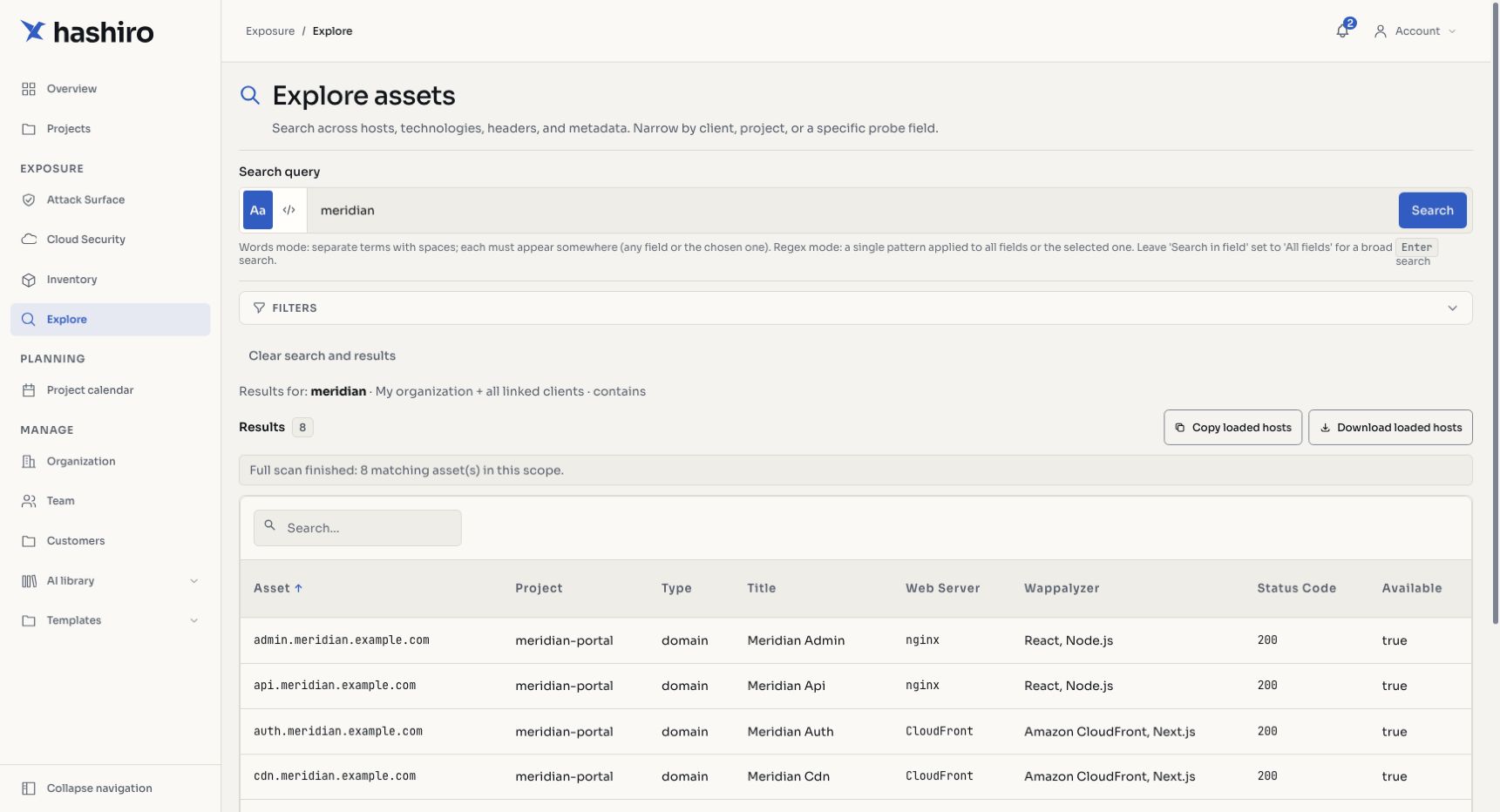
Screenshots use fictional demonstration data.
Search Modes
| Mode | Description |
|---|---|
| Text Contains | Simple substring matching. Finds assets containing the search term. |
| Regex | Regular expression pattern matching for advanced queries. |
Example Searches
admin: find all assets with "admin" in the name.*\.staging\.example\.com: regex to find all staging subdomainswp-login: find WordPress login pages across all projects10\.0\..*: regex to find assets in the 10.0.x.x range
Scope-Aware Results
Search results are scoped based on your role:
| Role | Search Scope |
|---|---|
| Provider | All assets across the provider's network (own org + all client orgs) |
| Client | Assets within the client's own organization only |
Results
Search results display matching assets with key metadata. You can see which project each result belongs to, view probe status, and navigate directly to the asset detail.