
Services
The Services tab shows all network services discovered through port scanning on your attack surface. It gives you visibility into which ports are open, what services are running, and where your organization may have unexpected exposure.
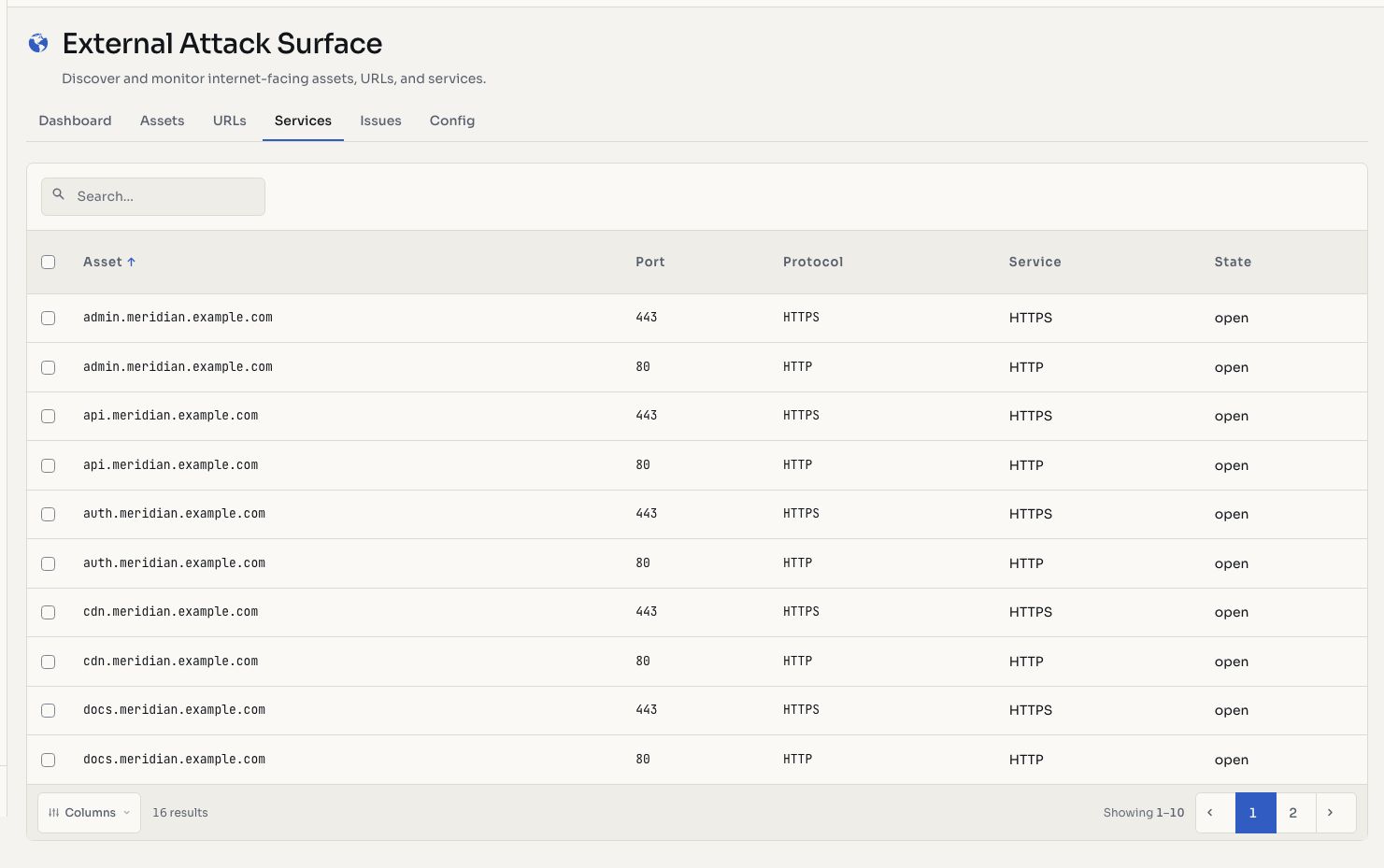
Screenshots use fictional demonstration data.
Service Discovery
Hashiro scans 27 standard ports across your in-scope assets:
| Port Range | Common Services |
|---|---|
| 21 | FTP |
| 22 | SSH |
| 23 | Telnet |
| 25 | SMTP |
| 53 | DNS |
| 80, 443 | HTTP / HTTPS |
| 110, 143, 993, 995 | Email (POP3, IMAP) |
| 3306 | MySQL |
| 3389 | RDP |
| 5432 | PostgreSQL |
| 6379 | Redis |
| 8080, 8443 | Alternative HTTP / HTTPS |
| 27017 | MongoDB |
WARNING
Open database ports (MySQL, PostgreSQL, Redis, MongoDB) and remote access services (RDP, Telnet) exposed to the internet are flagged as high-risk. Review these immediately and restrict to internal networks or VPN access.
Service Table
| Column | Description |
|---|---|
| Asset | The hostname or IP where the service was found |
| Port | The port number |
| Protocol | TCP or UDP |
| State | open, filtered, or closed |
| Service | Identified service name (e.g., http, ssh, mysql) |
Port States
- Open: the port is accepting connections and a service is running
- Filtered: the port is blocked by a firewall; its state cannot be determined
- Closed: the port is reachable but no service is listening
Network Exposure Analysis
Use this view to answer critical questions:
- Are any database services exposed to the internet?
- Are administrative interfaces (SSH, RDP) publicly accessible?
- Are there unexpected or legacy services running?
- Are applications running on non-standard ports?
Actions
- Filter by state: show only open, filtered, or closed ports
- Filter by port: search for specific port numbers
- Navigate to asset: click through to the full asset detail view