
Connectors
Connectors are lightweight relay agents that let Hashiro's AI assessments reach targets inside private networks without requiring VPN access or firewall changes.
How Connectors Work
A connector is a small binary (turing-connector) deployed inside the customer's network. It establishes an outbound connection to the Hashiro control plane, creating a secure relay for assessment agents to reach internal targets.
[AI Agent] → [Hashiro Control Plane] ← [Connector] → [Internal Targets]Because the connection is outbound, no inbound firewall rules are needed.
Security Model
| Feature | Description |
|---|---|
| Token authentication | Each connector authenticates with a unique token |
| TOFU key pinning | Trust-on-first-use server key pinning prevents MITM attacks |
| Token rotation | Tokens can be rotated without redeploying the connector |
| Self-destruct | Connectors can be remotely deactivated, terminating the relay |
| Outbound-only | No inbound ports need to be opened |
Capabilities
Once connected, the relay supports:
- Command execution: run assessment commands on the internal network
- HTTP proxy: route HTTP requests through the connector to reach internal web applications
Deployment
- Download the
turing-connectorbinary for your platform - Configure it with your organization's connector token
- Run it on a host inside the target network
- The connector appears in the Hashiro UI under the project's connector panel
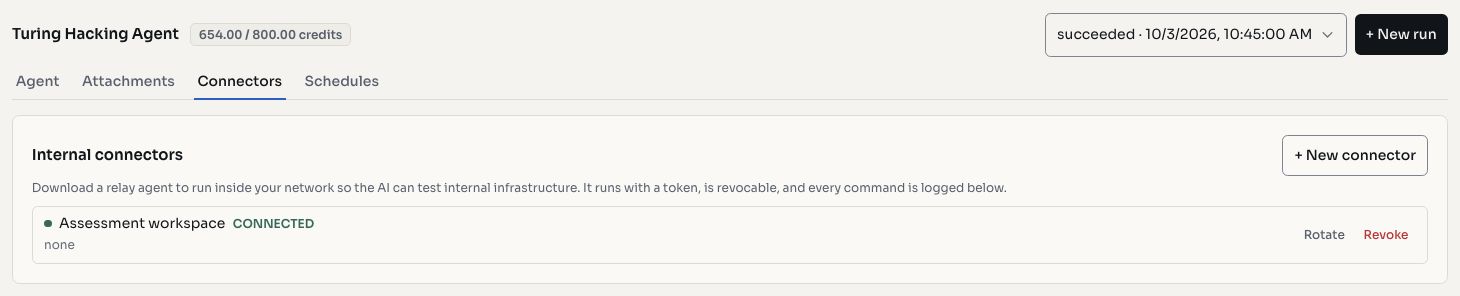
Screenshots use fictional demonstration data.
Monitoring
The Connector Activity panel shows:
- Connection status (online/offline)
- Last seen timestamp
- Activity log of relayed operations
WARNING
Connectors inherit the network permissions of the host they run on. Deploy on hosts with appropriate access to the assessment targets.
Use Cases
- Testing internal web applications not exposed to the internet
- Assessing staging environments behind corporate firewalls
- Evaluating internal APIs and microservices
- Running authenticated assessments against internal identity providers