
Scope Management
Scope defines the boundaries of a security assessment: what is authorized to test and what is off-limits. A well-defined scope is the foundation for asset discovery, vulnerability scanning, and manual testing.
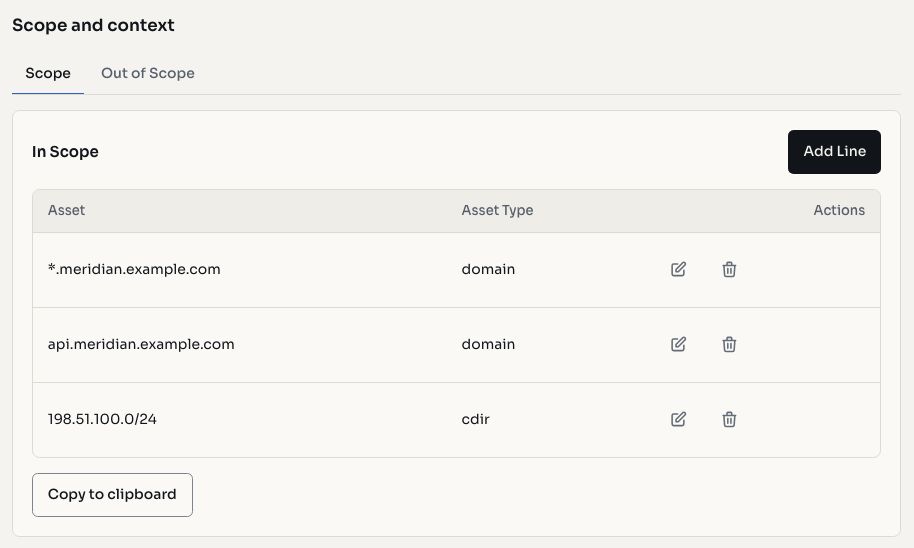
Screenshots use fictional demonstration data.
Defining Scope
Every project has two scope lists:
- In-scope: targets authorized for testing
- Out-of-scope: targets that must not be tested, even if discovered during enumeration
Scope entries are validated on creation to ensure they match the expected format for their asset type.
Asset Types
| Type | Example | Description |
|---|---|---|
| Wildcard | *.example.com | All subdomains under a domain |
| Domain | app.example.com | A specific hostname |
| IP | 192.168.1.1 | A single IP address |
| CIDR | 10.0.0.0/24 | An IP address range |
| iOS App | com.example.app | An iOS application bundle identifier |
| Android App | com.example.app | An Android application package name |
| Source Code | github.com/org/repo | A source code repository |
Credentials and Context
Beyond target definitions, the scope section supports additional context:
- Credentials: test accounts, API keys, and authentication material needed for grey-box and white-box assessments
- Context: markdown-formatted notes describing the target environment, architecture, technology stack, and testing guidelines
TIP
Adding detailed context helps AI assessments and team members understand the environment without separate onboarding.
Importing Scope
Scope entries can be imported in bulk. This is useful when onboarding a large engagement or syncing scope from a bug bounty platform.
Scope and Asset Discovery
Scope entries serve as seeds for asset discovery:
- Wildcard entries trigger subdomain enumeration to discover hosts
- Domain entries are probed directly for HTTP responses, technologies, and services
- IP and CIDR entries are scanned for open ports and running services
Assets discovered through enumeration are validated against the scope. Only in-scope assets are tracked and tested. Out-of-scope matches are flagged and excluded from automated scanning.